Worlds
Worlds represent the universe of Entities and their Components (as well as the component layout, and the Queries that match them).
It is possible to have multiple Worlds, each with its own set of Queries and Entities.
- Entities are unique to (and live their whole lives in) a World
- Relations are World-local: they cannot target Entities of another World (as of fennecs 0.7.0)
- Component Types are shared between Worlds
- (this facilitates moving entities between Worlds) (planned)
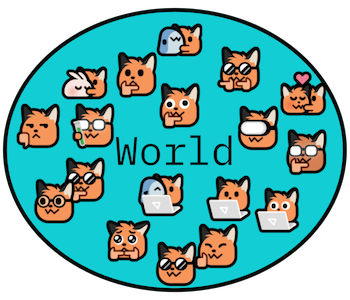 "A world, populated by Entities with different traits (Components)"
Instantiation
Imagine making a new universe was as easy as saying "let there be fennecs" - well, it is!
// fiat fox! (that's latin for "using fennecs;")
var world = new fennecs.World();// sometimes you know a ballpark upper bound of entities to prepare for!
var world = new fennecs.World(initialCapacity: 1_000_000);// specify some strategies and debug settings in the object initializer
var world = new fennecs.World(initialCapacity: 0)
{
Name = "very smol foxes world",
GCBehaviour = GCStrategy.InvokeOnWorldCatchup
| GCStrategy.CompactStagnantArchetypes
| GCStrategy.DisposeEmptyRelationArchetypes,
}You can have up to a Billion Entities in a World.
Optimistically, fennecs might help you handle around 1 or 2 Million Entities at a reasonable performance level for games, depending on your Component layouts.
 I WANT MORE!
Listen, Jeff Jr. - the difference between 1 million and 1 billion is pretty much exactly 1 billion. Can you even begin to fathom how much a billion is? ... sigh ... sure, we'll chip in a couple more!
Easy to remember, too - the limit is now your mom's weight and/or phone number: 1,073,741,824
There - Tres Commas... happy now?
(that's 2³⁰ - storage capacities grow in powers of two, and that's the last power of two a .NET array can hold. The Entity encoding itself would go to 4,294,967,295. Your RAM taps out way, way before either.)
 LIMITS - for nerds who need numbers (as of 0.7.0)
| What | Limit | Why |
|---|---|---|
| Entities per World | 1,073,741,824 (2³⁰, ~1 billion) | capacities grow in powers of two, and 2³⁰ is the largest a .NET array allows (the 32-bit Entity index itself would go to 4.29G) |
| Concurrent Worlds | 255 | 8-bit World tag (tag 0 is reserved); slots are recycled on Dispose() |
| Respawns per Entity index | 65,535 | 16-bit Generation; exhausted indices are retired, never recycled |
| Component Types (per process) | 4,094 | 12-bit TypeId (ids 0, 1, and 0xFFF are reserved) |
An Entity is a single 64-bit value: [generation:16] [kind:4] [flags:4] [world:8] [index:32]. Its low 48 bits double as its Key for Relations - and because the Key carries the World tag, Relations are World-local: each World cleans up Relations to its own despawned Entities, eagerly and automatically.
What's a World, anyway?
A fennecs.World is the root object that contains all your Entities, their Components, Queries, and the data structures that group them. It's the central hub for all things fennecs in your game or simulation.
Under the hood, a World implements IAspect and delegates its entire query surface to its Main Aspect – the built-in storage universe where all your component data lives, until you decide otherwise.
BEHIND THE SCENES - Multiple Worlds
Yes, you can have up to 255 of them at the same time. Disposing a World returns its slot to the pool. Instantiate to your heart's content! You usually only need one World... now go ... ... shoo!
DON'T SHOO ME!
There are at least two traditional use cases for multiple worlds:
- a Server/Network World and a Client World on the same machine
- a world with few, highly dynamic Archetypes and many Queries and a world with a more static setup but maybe more Queries and Entities. Adding new Archetypes becomes more expensive the more cached Queries a world has, so splitting them up can be beneficial in some cases.
Each World is a separate, isolated universe of Entities and Components, with its own set of Archetypes and Queries.
Entities know their World, including Entities as parts of Relation Expressions. Relations are World-local: creating a Relation that targets an Entity of another World throws. Within a World, when an Entity Despawns, any Relations targeting it are automatically cleaned up. (need to segregate data domains within one World? That's what Aspects are for!)
Other than that, Worlds don't know about each other. They're like parallel dimensions, each with its own set of rules and inhabitants.
Entities can't move between Worlds (yet), but copying them over by hand is easy enough.
(with some caveats in the Random Tidbits section)
Multiple Worlds become useful when you want strict separation, e.g. for a Server World and a Client World on the same machine. They might also be useful if you want to re-use the same Query creation code with different rules. (relevant for library authors)
In Worlds where lots of Archetypes or Queries are created and destroyed, it can also be beneficial to have separate worlds to keep the Query overhead of these operations low. (we're talking many thousands or millions of operations here - don't prematurely optimize, profile your code and then make an informed decision!)
Querying your World
To find and work with Entities, you'll use the World's QueryBuilder creation methods like Query(), Query<C>() and its variants. These let you express complex queries to match exactly the Entities you need, using powerful Match Expressions.
// Find all Entities with a Position and Velocity component
var query = world.Query<Position, Velocity>().Stream();
Spawning Entities ...
Entities spring to life in a World when you Spawn() them:
var entity = world.Spawn();You can give them Components either one by one...
entity.Add<Position>();
entity.Add<Velocity>();
...or using the EntityTemplate for a bit of extra ✨flair✨:
var template = world.Template()
    .Add<Position>()
    .Add<Velocity>()
    .Spawn(count: 100);
Want the spawned Entities handed right back? Spawn() without arguments returns the single Entity it spawned, and Spawn(Span<Entity>) fills your buffer with a whole wave – see Templates!
... and completing the Circle of Life! 🌄
// ...Living its best Entity life...

// Suddenly - Despawn!
entity.Despawn();
(various ways to despawn Entities are available, see CRUD for more!
I am become Fox, the Disposer of Worlds
When you're done with a World, disposing of it will clean up all its Entities and Components, and free up most of the resources fennecs was using for it. Worlds implement IDisposable, this is useful in Games and Tests alike:
myWorld.Dispose();using (var world = new World()) // a whole new world!
{
// do unit tests in the World
} // World is disposed at end of scope! DON'T PANIC
You do not have to dispose worlds unless you want a clean slate. fennecs (or rather, the .NET Runtime) will clean up after itself when your program exits, and there can actually be an advantage to keeping a World around for the duration of your game or simulation - all your Queries are already compiled, most Archetypes exist, the IdentityPool is pre-allocated, etc., etc.
Random Tidbits for Nerds
BEHIND THE SCENES - Archetypes
Under the hood, a World stores Entities with identical Component setups together in data structures called Archetypes. This keeps fennecs fast as a fox, letting it blaze through hundreds of thousands of Entities in a flash.
You usually don't need to think about Archetypes yourself - fennecs handles them automagically based on the Components you give to each Entity.
BEHIND THE SCENES - Aspects
Since 0.7.0, a World's Archetypes are grouped into Aspects – separate contiguous storage universes sharing the same Entities. Every World has one built-in Aspect, Main, and you can add more to group hot data and fight Fragmentation. If you've never heard of them, that's by design: with just Main, everything behaves exactly as it always did.
BEHIND THE SCENES - EntityPool
Entities have an internal index which they receive from - and return to - an internal pool. There, the indices are recycled when Entities despawn.
The pool keeps a Generation number per index (baked into each 64-bit Entity you hold) that prevents an Entity's successor from being mistaken for the real McCoy - stale handles report Alive == false, and operating on one throws with a message that tells you whether the Entity was despawned or its index respawned as a new Generation.
RELATIONS 

"Wait, it's all World-local? - Always should have been!"
Entity-Entity relations are World-local. (as of 0.7.0)
Relation Keys carry their target's World tag, so they can never collide across World boundaries - and creating a Relation that targets an Entity of another World throws right at the call site. When an Entity despawns, its World cleans up all Relations targeting it (the components are removed from their respective Entities).
Entities cannot automagically move between worlds yet. You currently have to do that housekeeping yourself if you need this functionality.
Keyed Components don't care.
Keys are just snapshots of momentary Hash values. This means if something has the same Hash and Type in multiple worlds, they will be considered the same key.
- Keys can trivially move between worlds if needed, they are just values; no cleanup is needed.
Entity-Object links work as expected, too.
- And yay! This is one of their main uses: for example a Network Socket, Asset Provider, or Sound System might be a good candidate for an Object Link used by Entities in multiple Worlds.
 "fennecs make the world go round"